QR Codes on Every Garage Tool: Melbourne Setup Guide
Label every tool with a durable QR code so you stop losing gear in a Melbourne garage. Learn common failures, DIY fixes, and when Garden Pie should handle on-site setup.
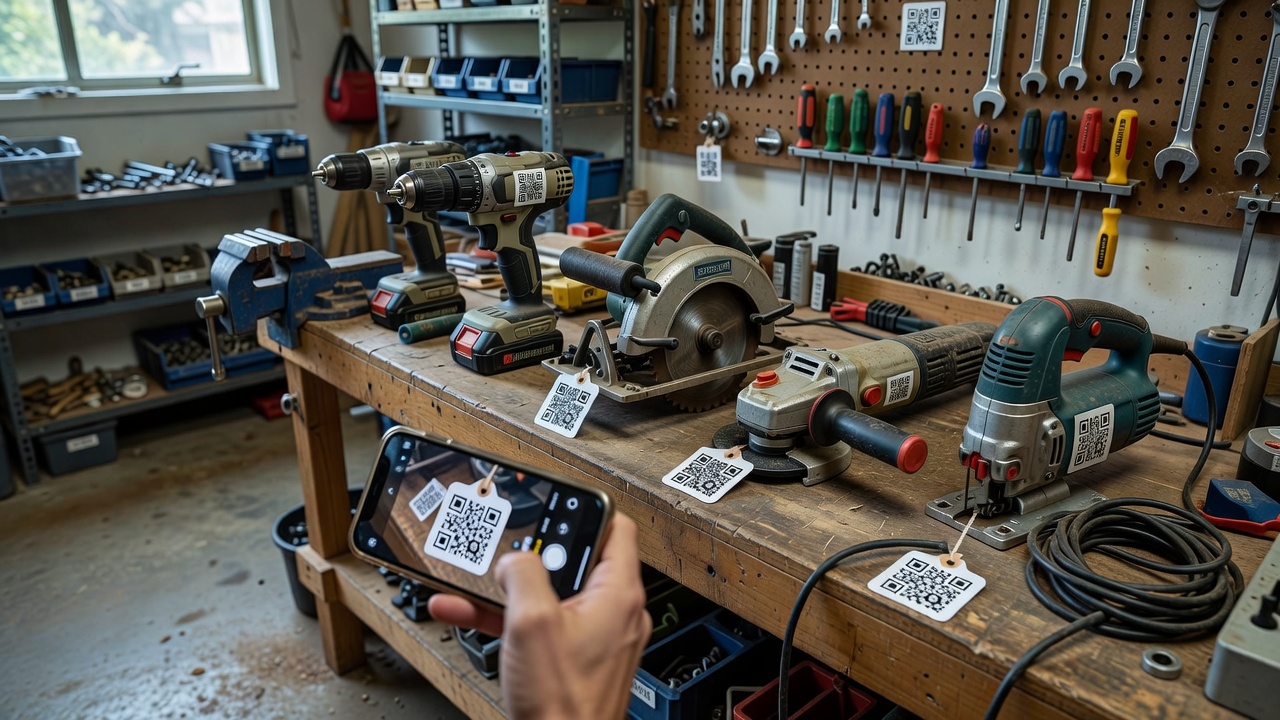
If your Melbourne garage is full of tools you cannot find when you need them, a simple QR system on every handle, case, and shelf can change how you work. This guide walks through a practical, on-site approach to putting QR codes on garage tools: what fails in real workshops, how to fix it yourself, and when to book hands-on help from Garden Pie.
Homeowners and small trade businesses across Melbourne often start with phone photos and sticky notes, then lose track after one wet winter or a busy job week. Garden Pie works as a direct local specialist for garage-and-tech setups like this—not a freelance marketplace—so you get clear advice and on-site help when labels, scanners, or inventory links need a proper install. Start with the full walkthrough on our garage tool QR guide for Melbourne, then use the steps below on your own bench.
Why QR labels on garage tools actually matter
A QR code on each tool is only useful if it survives oil, dust, and Melbourne humidity, and if the scan opens the right record every time. Done well, you can open your phone, scan a drill or socket set, and see ownership notes, last service date, battery type, loan status, or a photo of the correct storage bay. Done poorly, you get peeling stickers, unreadable codes, and a half-finished spreadsheet that nobody trusts.
This is a local hardware problem as much as a “tech” idea. Labels must stick to metal and plastic. Codes must stay scannable under fluorescent light and garage glare. Links must point to something you control. The rest of this post stays on that workflow: physical labels, phone scanning, simple inventory destinations, and when an on-site visit from Garden Pie is the smarter path.
Can I put durable QR codes on every tool in a Melbourne garage?
Yes. Use industrial-grade adhesive labels or laminated tags sized for phone cameras, link each code to a simple tool record you control, and test scans in the same lighting as your garage. Most peel, scan, and “wrong tool” problems come from surface prep, print quality, or broken links—not from the QR idea itself.
| SymptomQuick fixWhen to call Garden Pie | ||
| Label lifts or leaves residue | Degrease, dry, use outdoor/industrial stock | Large tool wall or mixed surfaces needing on-site labelling |
| Phone will not lock onto the code | Clean code, enlarge print, reduce glare | Batch reprint, tag hardware, or scanner setup on site |
| Scan opens blank or wrong page | Fix destination URL and retest each code | Full inventory map, naming rules, and handoff training |
Common issues when QR-coding every garage tool
These problems show up again and again in real garages. Each has a different root cause, so treat them separately instead of reprinting everything at once.
1. Labels peel, curl, or slide off oily metal
Symptoms: Corners lift within days; stickers migrate on drill bodies; adhesive goo on wrenches; codes fall into the bottom of a toolbox. Often worse after summer heat or after tools come back oily from a job.
2. Codes will not scan reliably on a phone
Symptoms: Camera hunts and never locks; works only in bright daylight; fails when the tool is on a dark bench; fine at arm’s length but useless when the tag is small or dirty.
3. Scan works, but the destination is blank, wrong, or outdated
Symptoms: Browser opens an error page; two different saws open the same note; loan status never updates; a shared link was edited and now every code points nowhere useful.
4. Tags get destroyed by dust, moisture, or abrasion
Symptoms: Ink smears; laminate cracks on vibrating tools; cardboard hang-tags tear; outdoor-facing garage doors push damp air onto paper labels until they fog and fail.
How to fix peeling QR labels on tools
If stickers will not stay put, the surface and the label stock are the problem—not your inventory app.
- Inspect the failure. Note whether the face stock tears, the adhesive fails, or oil is bleeding under the edge. Check metal, rubber overmoulds, and plastic cases separately.
- Clean properly. Wipe the mounting area with isopropyl alcohol or a dedicated degreaser. Remove old adhesive fully. Let the surface dry completely—damp metal is a common Melbourne garage trap after wet mornings.
- Choose tougher media. Prefer outdoor vinyl, polyester, or laminated industrial labels over office paper stickers. For high-vibration tools, use a cable-tie tag plate or heat-shrink style marker on the cord rather than a flat sticker on the body.
- Place smartly. Avoid grip zones, battery rails, and areas that slam into cases. Flat side panels and hard case lids usually outlast handles.
- Press and cure. Firmly burnish the label, then leave the tool unused long enough for the adhesive to set before throwing it back into a crowded drawer.
- Verify. After 24 hours, try to lift a corner gently. If it moves, change stock or mounting method before you label the whole wall.
When to call Garden Pie: If you have dozens of mixed surfaces, loan kits, or a shared workshop wall and you need consistent on-site labelling rather than a weekend of trial stickers, book an in-person setup so placement and materials are done once.
How to fix QR codes that will not scan
Unreadable codes waste the whole system. Fix print and environment before you blame the phone.
- Clean the code face. Wipe dust, grease, and concrete film. A grey film is enough to break high-density codes.
- Check size and quiet zone. Tiny codes on hex keys fail often. Reprint larger. Keep a clear margin around the pattern; do not crop to the black modules.
- Improve contrast. Black modules on a white or light matte field scan better than low-contrast colour prints or glossy photo paper that mirrors garage lights.
- Test in real lighting. Scan under your actual bench light and near the roller door. If glare blinds the camera, move the tag or use matte laminate.
- Confirm phone behaviour. Try the built-in camera and one dedicated QR reader. If only one app works, simplify the code (lower density) and reprint rather than forcing staff onto a fussy app.
- Re-encode if needed. Overlong URLs make dense patterns. Use a short, stable link to your tool record, then regenerate and replace failed tags only.
When to call Garden Pie: Bring or show sample tools that fail, plus the phone models your household or crew actually use. On-site, we can standardise tag size, placement, and a scan test pass across the set instead of guessing from one successful photo.
How to fix broken or wrong inventory links
A perfect sticker is useless if the scan opens the wrong story. Treat destinations like labelled shelves: one tool, one record, one owner of the truth.
- Open the failing code and write down the URL or page title. Confirm whether the problem is “not found,” login wall, or simply the wrong tool name.
- Centralise records. Use one spreadsheet, notes database, or simple inventory list you control. Avoid scattering tool facts across random chat threads.
- Name tools unambiguously. Include brand, type, and a unique ID (for example “Makita 18V drill — G12”) so two similar tools never share a row.
- Point each QR at that unique record. Update the live page first, then test the existing code. Only reprint when the encoded text itself is wrong.
- Add the fields you actually need. Storage bay, battery platform, bit set, loaned-to, and last blade change beat long essays nobody maintains.
- Run a full scan audit. Walk the garage once. Scan every tagged tool. Fix mismatches immediately so the system stays trustworthy for the next person who borrows a saw.
When to call Garden Pie: If multiple people share the garage, codes were generated ad hoc, or you need a clean naming scheme and handoff so apprentices or family members can scan without breaking links, an on-site inventory pass is faster than rebuilding alone.
How to stop moisture, dust, and abrasion killing tags
Melbourne garages swing between damp winters and hot, dusty summers. Paper office labels rarely survive that cycle on working tools.
- Spot the damage pattern. Fogged faces suggest moisture; scuffed modules suggest drawer abrasion; cracked laminate often means vibration plus cheap stock.
- Upgrade protection. Use laminated or resin-topped labels. For cords and stands, prefer rigid plastic tag plates with cable ties over stickers on soft rubber.
- Relocate weak tags. Move codes off floor-level kick points and out of direct wet-entry paths near the door if labels keep failing there.
- Seal cut edges when you laminate at home. Open edges wick moisture. Fully sealed edges last longer in humid corners.
- Schedule a quick seasonal check. At the change of season, scan a sample set from each shelf. Replace damaged tags before a whole bay goes dark.
When to call Garden Pie: Large tool walls, outdoor-adjacent storage, or mixed hire gear that must stay readable under rough handling are good reasons for a specialist materials pass on site.
When DIY is enough vs when to book Garden Pie
DIY is enough when you own a modest tool set, can degrease surfaces, print or order a small batch of tough labels, and will maintain one simple inventory list. If you can spend a focused afternoon cleaning, placing, scanning, and fixing mismatches, you can get a reliable system running without outside help.
Book Garden Pie when the garage is a working asset for a household trade, small business, or shared family workshop; when previous DIY labels already failed; when phones on site disagree about scan quality; or when you want the physical tags, placement rules, and destination structure set up together so everyone uses the same method. We are a direct specialist provider for this garage-and-tech work in Melbourne—see all service areas for where on-site visits are offered.
For an on-site or drop-off style conversation, bring clarity rather than perfection: a list of tool categories, a couple of sample tools with failed labels, the phones you scan with, and a note on whether records should live in a spreadsheet or another simple page you already use. Back up any existing inventory file before major renames. Do not assume same-hour completion for a full wall of tools; early bookings are often easier to schedule on the day you need, subject to diary load.
Get your garage tools scannable the practical way
QR codes on every tool only pay off when labels stick, cameras lock, and each scan opens the right record. Work through peeling stock, weak prints, broken links, and weather wear as separate fixes, then decide whether a solo afternoon is enough or whether you want Garden Pie on site to finish the system properly.
If you want a direct conversation about labelling, scan testing, and a clean inventory layout for your Melbourne garage, start here: book a Garden Pie garage tool QR setup discussion. Tell us what is failing today—peel, scan, or link—and we will help you map the next practical step.